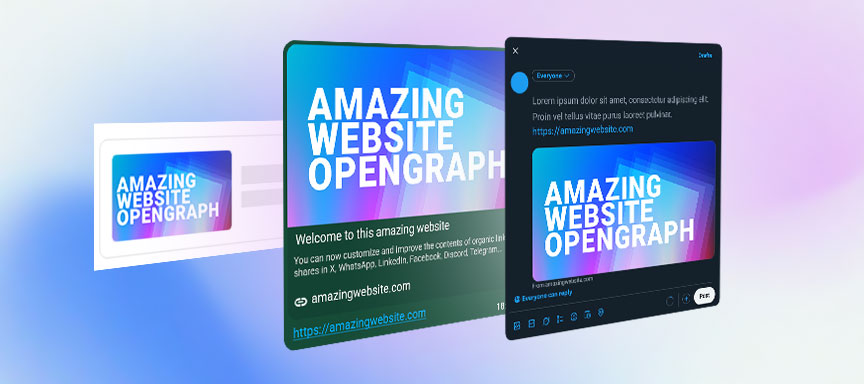
What is Open Graph?
The Open Graph protocol tells platforms what title, description, image, and canonical URL to use when someone shares a web page. Without it, networks and chat apps often guess incorrectly.
That is why public preview quality is so often tied to technical metadata instead of the visible body content of a page.
The core tags to control
og:titleog:descriptionog:imageog:url
These values are what most crawlers read first when deciding how your page should appear in a feed, chat, or preview card.
Platform-specific behavior still matters
WhatsApp is aggressive about caching. LinkedIn is stricter about validation and offers the Post Inspector workflow. X can rely on Open Graph, but also supports more granular Twitter Card tags.
If you are specifically fixing WhatsApp behavior, jump to the WhatsApp preview guide.
Required meta tags example
<!-- Standard Open Graph -->
<meta property="og:title" content="Your Amazing Title" />
<meta property="og:description" content="A brief summary of your page." />
<meta property="og:image" content="https://yourdomain.com/social-visual.jpg" />
<meta property="og:url" content="https://yourdomain.com/page" />

<!-- X / Twitter -->
<meta name="twitter:card" content="summary_large_image" />
<meta name="twitter:title" content="Your Amazing Title" />
<meta name="twitter:description" content="A brief summary of your page." />
<meta name="twitter:image" content="https://yourdomain.com/social-visual.jpg" />
Common problems
The usual reasons public previews fail.
Wrong image shown
Usually caused by multiple competing image tags or by crawlers picking the first usable media they encounter.
Old preview cached
Platforms often keep stale metadata for days, even after you deploy a correct fix.
Image not appearing
Relative URLs, inaccessible files, or unsupported formats are still the most common causes.
Incorrect title
Duplicate or malformed title metadata often leads platforms to guess instead of obeying your intent.
FAQ
More Open Graph questions
Can I use a different image for WhatsApp and LinkedIn?
You can attempt platform-specific logic, but a strong 1200x630 image that works everywhere is usually the safer and less fragile option.
Why does my og:image revert to the old one?
That usually means the platform cache still holds the previous metadata. Use their debugging or inspector tools to force a refresh.
Are there character limits for og:title?
Most platforms truncate titles somewhere around 60 to 90 characters, so front-load the important words.